
How to Re-open a Measurement Invitation

If a client has not responded to their measures in due time, then the invitation to take the measure will expire. The following steps will detail how to re-open the invitation:

1). Select the appointment that you'd like to have the measure invitations re-opened for, and click "Details".
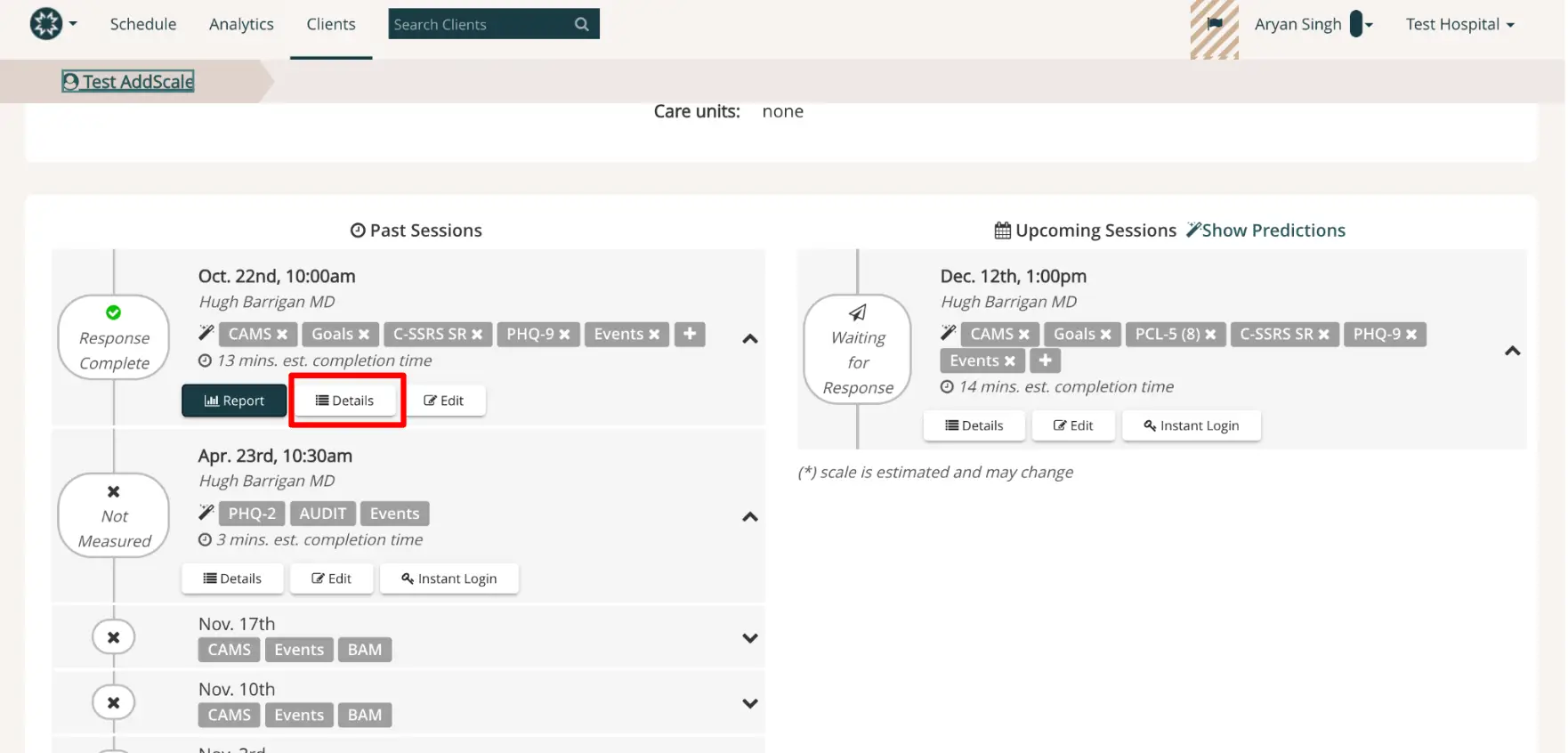
The screenshot displays the Mirah Measurement-Based Care interface, specifically focusing on past and upcoming sessions for a client. The top navigation bar includes options for Schedule, Analytics, and Clients, with a search bar to find clients. The breadcrumb indicates the user is in the 'Test AddScale' section. The left panel shows past sessions with details such as the date, time, and the attending doctor, Hugh Barrigan MD. Each session lists associated measures like CAMS, Goals, C-SSRS SR, and PHQ-9, along with an estimated completion time. Buttons for 'Report', 'Details', and 'Edit' are available for each session, with 'Details' highlighted in red. The right panel displays upcoming sessions, with similar details and options, including a 'Show Predictions' link. The user profile, Aryan Singh, and the associated hospital, Test Hospital, are shown in the top right corner.

2). Navigate towards the bottom of the screen, and click on "Re-open this invitation for 24 hours". Upon clicking this, the client will receive a notification to take the measure. This must be completed within the next 24 hours after re-opening the invitation, or the invitation will expire again.
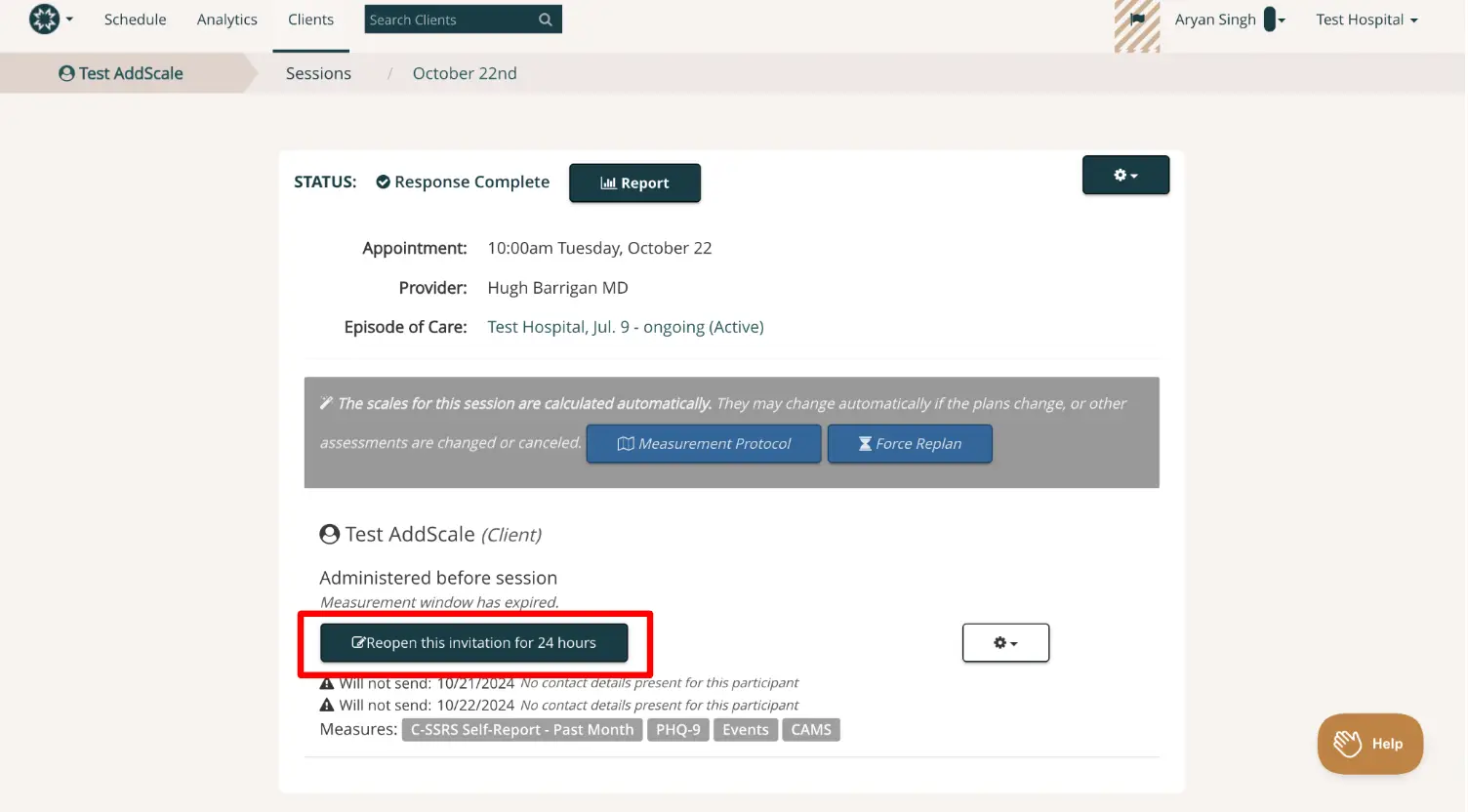
The screenshot displays the interface for managing a measurement invitation within the Mirah Measurement-Based Care platform. At the top, the navigation bar includes options for Schedule, Analytics, and Clients, with a search bar for finding clients. The breadcrumb trail shows the path: Test AddScale > Sessions > October 22nd. The main section indicates the status of the session as 'Response Complete' with a 'Report' button next to it. Details of the appointment are provided, including the time, date, provider name, and episode of care. Below, a message states that scales for the session are calculated automatically, with buttons for 'Measurement Protocol' and 'Force Replan' available for adjustments. The section titled 'Test AddScale (Client)' notes that the measurement window has expired, and a button labeled 'Reopen this invitation for 24 hours' is highlighted, allowing the user to extend the invitation period. There are warnings about unsent measures due to missing contact details, and a list of measures including C-SSRS Self-Report, PHQ-9, Events, and CAMS. The interface also includes a settings button and a 'Help' button located at the bottom right corner.

If you and your client are experiencing additional issues with re-opening this invitation, please reach out to support@mirah.com for further assistance.