
Completing a Self Reported Measure with a Patient

To complete a self-report measure in session with your client:

1). First find the Detail page of the patient in the session through the Dashboard, Client tab, or search function.
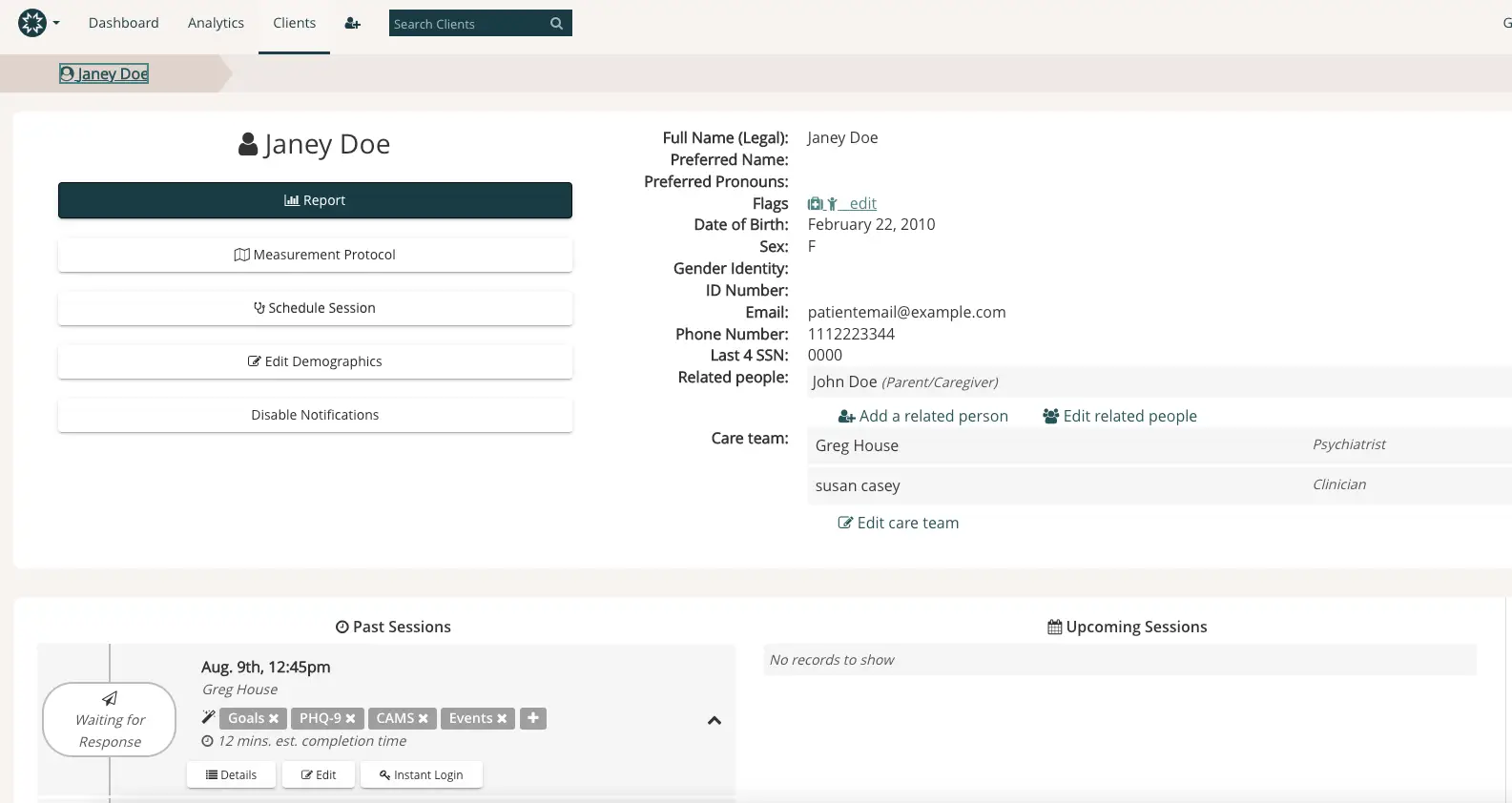
The screenshot displays the client profile page for Janey Doe within the Mirah Measurement-Based Care platform. At the top, there is a breadcrumb navigation showing 'Dashboard > Analytics > Clients > Janey Doe'. The page is divided into sections with Janey Doe's personal information on the right, including full name, preferred name, preferred pronouns, flags, date of birth, sex, gender identity, ID number, email, phone number, last 4 SSN, related people, and care team. The care team includes Greg House, a psychiatrist, and Susan Casey, a clinician, with options to add or edit related people and the care team. On the left, there are buttons for 'Report', 'Measurement Protocol', 'Schedule Session', 'Edit Demographics', and 'Disable Notifications'. Below, the 'Past Sessions' section lists a session on August 9th at 12:45 pm with Greg House, including goals, PHQ-9, CAMS, and events, with an estimated completion time of 12 minutes. There are buttons for 'Details', 'Edit', and 'Instant Login'. The 'Upcoming Sessions' section is empty.

2). Next, click the "Details" button on the current session.
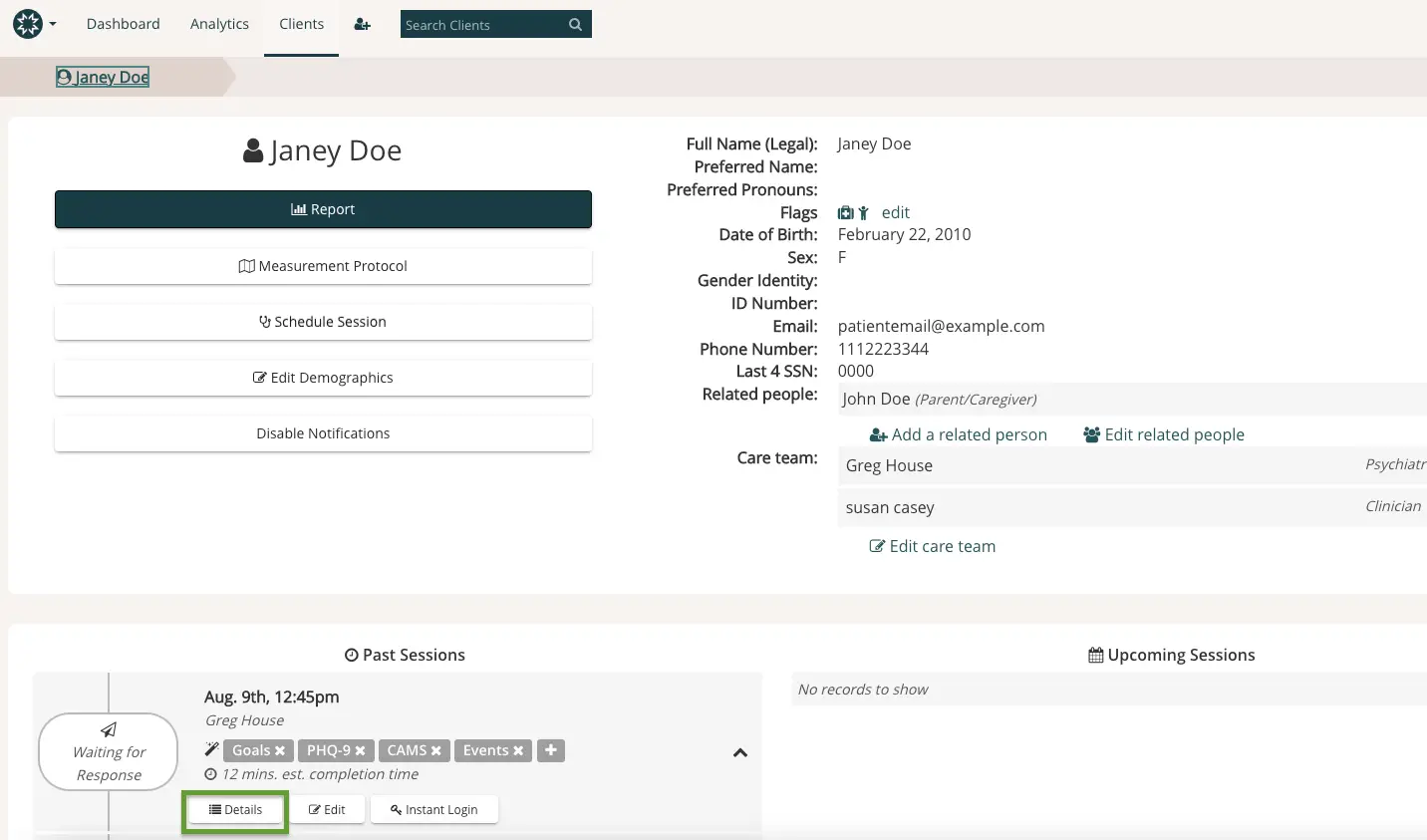
The screenshot displays the client profile page for Janey Doe within the Mirah Measurement-Based Care platform. At the top, the navigation bar includes links to Dashboard, Analytics, and Clients, along with a search bar labeled 'Search Clients'. The breadcrumb trail shows 'Clients > Janey Doe'. The main section features Janey Doe's personal information, including full name, preferred name, preferred pronouns, flags with an edit option, date of birth, sex, gender identity, ID number, email, phone number, last four digits of SSN, and related people. There are options to add or edit related people. The care team section lists Greg House as a psychiatrist and Susan Casey as a clinician, with an option to edit the care team. Below, there are buttons for 'Measurement Protocol', 'Schedule Session', 'Edit Demographics', and 'Disable Notifications'. The 'Past Sessions' section shows a session on August 9th at 12:45 pm with Greg House, including tags for 'Goals', 'PHQ-9', 'CAMS', and 'Events', with an estimated completion time of 12 minutes. There are buttons for 'Details', 'Edit', and 'Instant Login'. The 'Upcoming Sessions' section indicates no records to show.

3). Next, click the "Take measurement" button and fill out the prompts together with the patient.
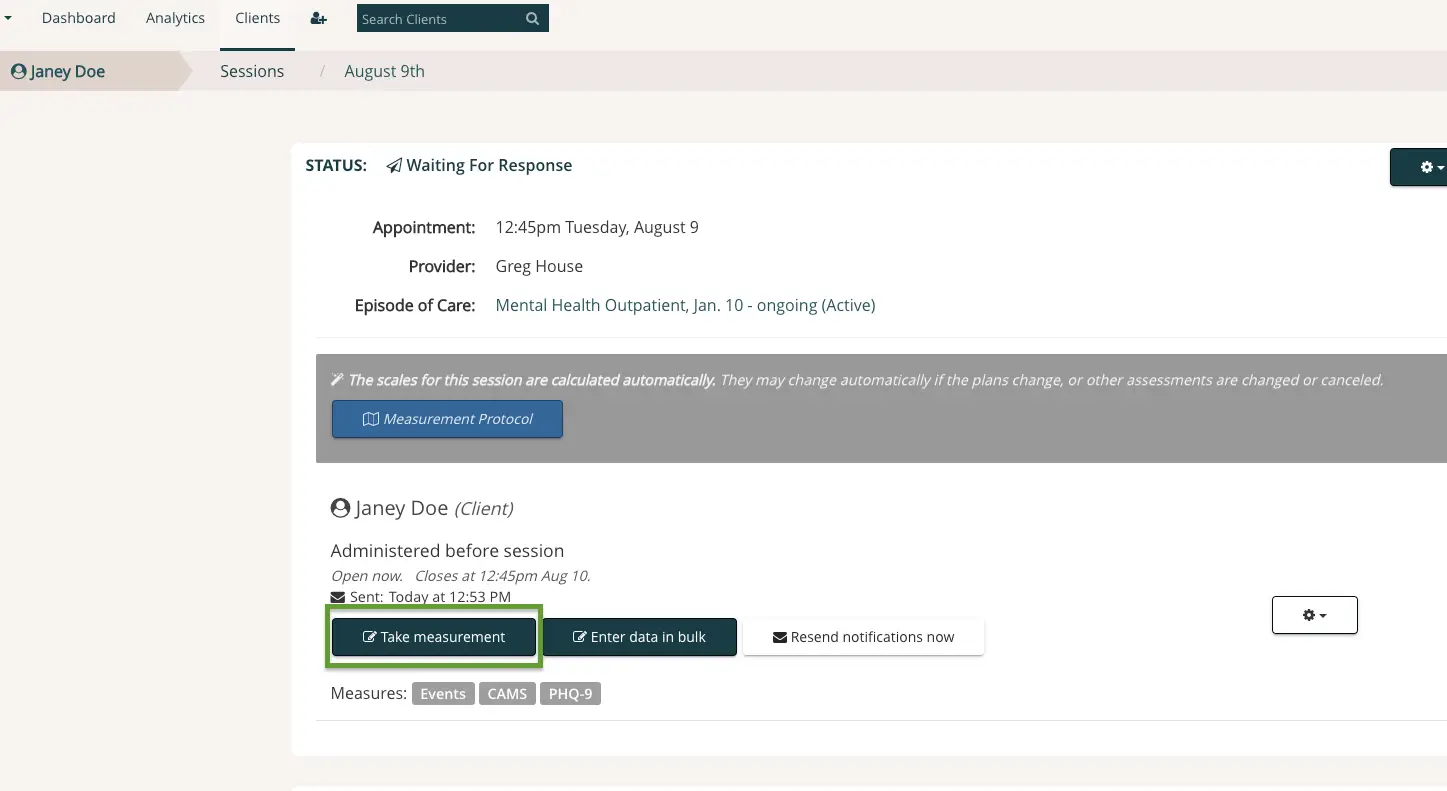
The screenshot displays the session details for a client named Janey Doe, with the status 'Waiting For Response'. The appointment is scheduled for 12:45 PM on Tuesday, August 9, with provider Greg House, under the episode of care 'Mental Health Outpatient, Jan. 10 - ongoing (Active)'. The scales for the session are calculated automatically, as indicated by the message above the 'Measurement Protocol' button. Below Janey Doe's name, it shows that the measure was administered before the session, sent today at 12:53 PM, and closes at 12:45 PM on August 10. There are three buttons: 'Take measurement' highlighted in green, 'Enter data in bulk', and 'Resend notifications now', located below the client's information. The measures available are 'Events', 'CAMS', and 'PHQ-9'. A settings icon is present on the right side of the screen.

4. Click on "Continue to measurement" and you can guide your client through the measure in their default language.
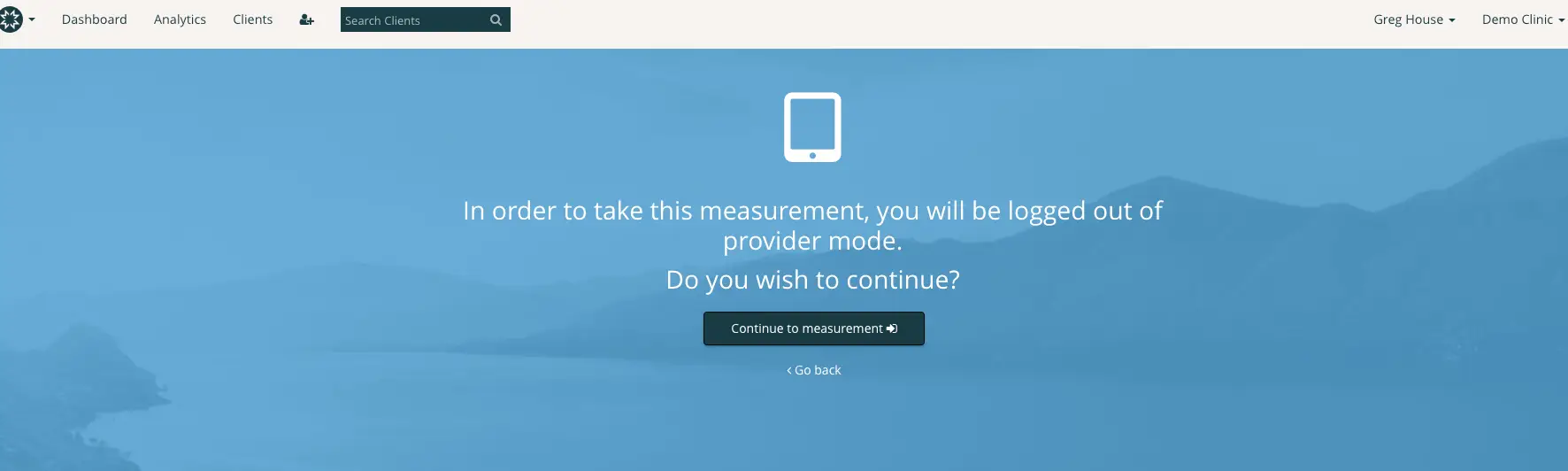
The screen prompts the user to confirm their intention to proceed with a self-reported measurement, indicating that they will be logged out of provider mode. The interface includes a central message stating 'In order to take this measurement, you will be logged out of provider mode. Do you wish to continue?' Below the message, there are two interactive options: a 'Continue to measurement' button, which is centrally located and allows the user to proceed, and a 'Go back' link positioned beneath the button, offering the option to return to the previous screen. The top navigation bar includes links to Dashboard, Analytics, and Clients, along with a search field labeled 'Search Clients' and user information displaying 'Greg House' and 'Demo Clinic'.