
Editing a Patient or Caregiver Measures Responses

Patients may enter information incorrectly when completing measures or skip questions which will result in an invalid score.

1). On the Patient Details page, select the title for the session you would like to input data for. The session will be in the "Past Sessions" Panel.
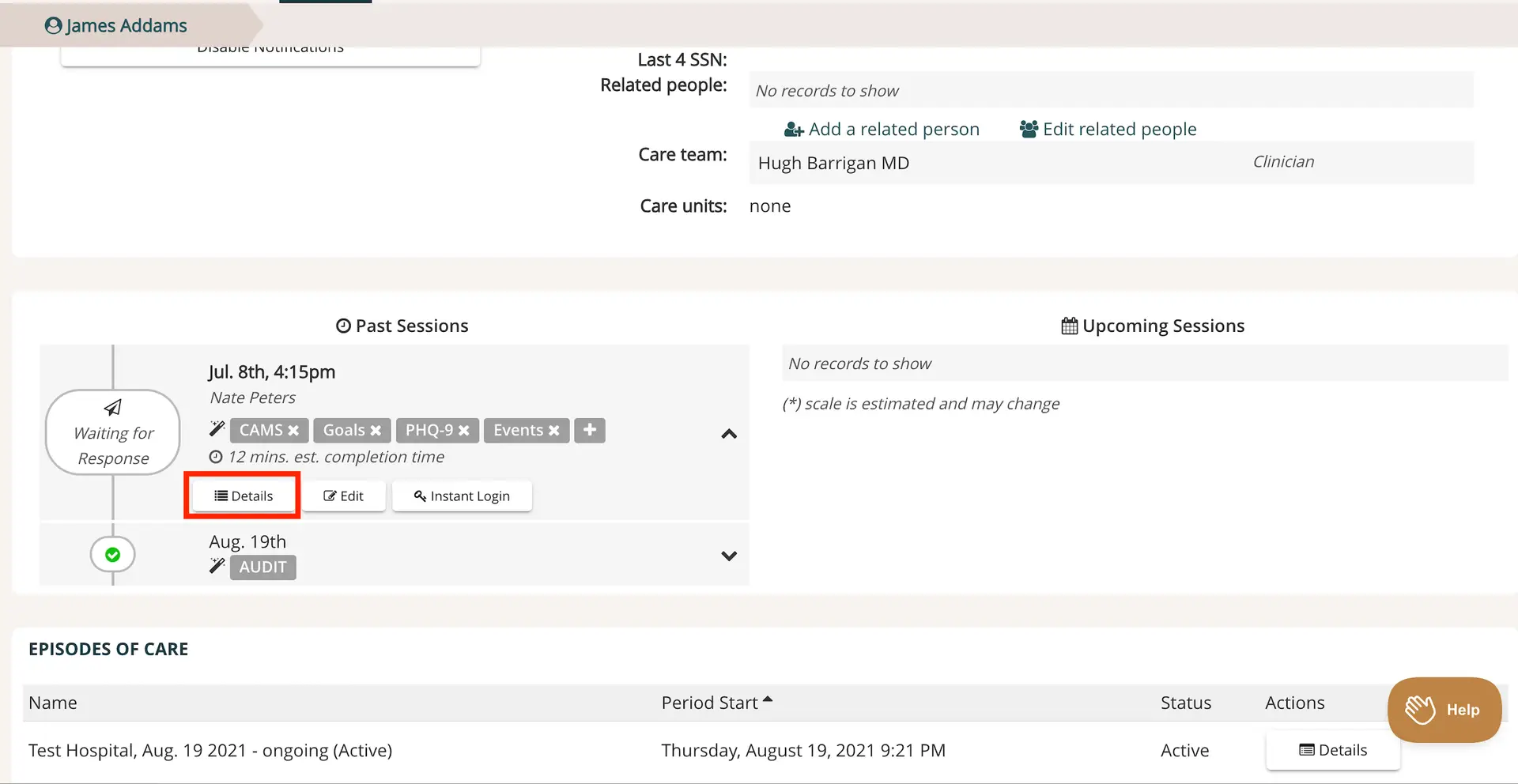
The screenshot displays a section of the Mirah Measurement-Based Care interface focused on patient or caregiver measures responses. At the top, the patient's name, James Addams, is shown with options to disable notifications and edit related people. The patient's last four SSN digits and related people are listed, with an option to add a related person. The care team is identified as Hugh Barrigan MD, and care units are noted as none. Below, the Past Sessions section lists a session on July 8th at 4:15 pm with Nate Peters, including measures such as CAMS, Goals, PHQ-9, and Events, with an estimated completion time of 12 minutes. Buttons for Details, Edit, and Instant Login are available, with Details highlighted in red. The Upcoming Sessions section indicates no records to show, with a note that the scale is estimated and may change. The Episodes of Care section lists Test Hospital with a period start date of August 19, 2021, at 9:21 PM, marked as active, with a Details button for further actions. A Help button is located at the bottom right corner.

2). Select the gear icon in the Session Details page, and click "Edit responses". If the measurement window has closed, follow these instructions to re-open the measurement window.
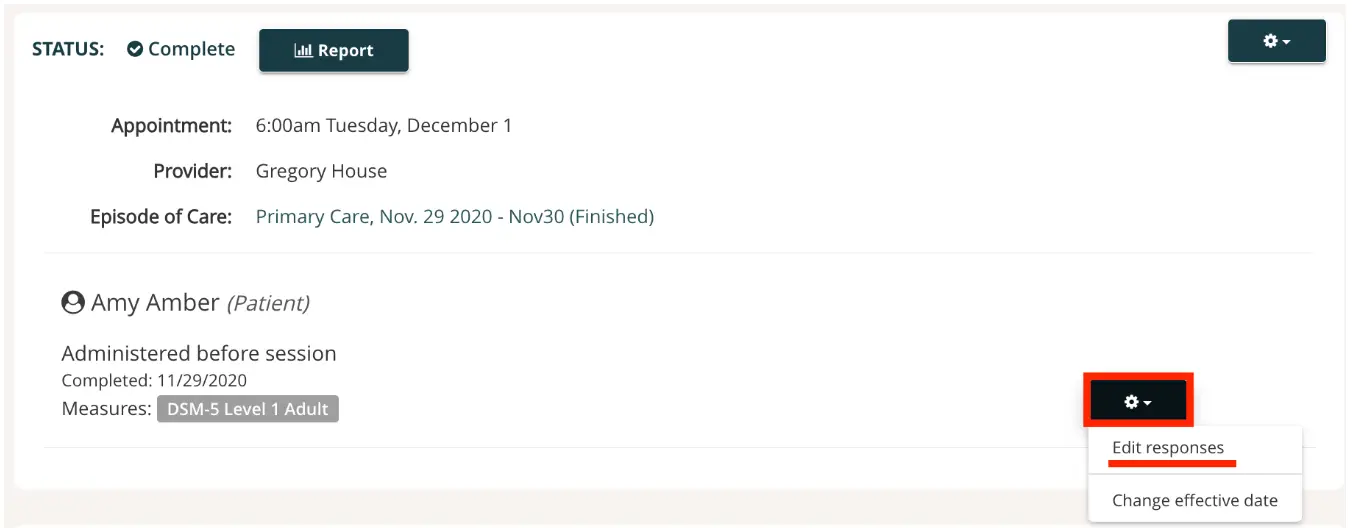
The screenshot displays a section of the Mirah Measurement-Based Care interface focused on editing patient or caregiver measure responses. At the top, the status is marked as 'Complete' with a button labeled 'Report' next to it. Below, details of an appointment are provided, including the time, date, provider name, and episode of care, which is linked to more information. The patient, Amy Amber, is listed with details about the measures administered before the session, completed on 11/29/2020, specifically the DSM-5 Level 1 Adult measure. A settings icon is highlighted, indicating options to 'Edit responses' or 'Change effective date,' located at the bottom right of the patient information section.

3). Enter in data and press "Save" or "Save & View Report" at the top.
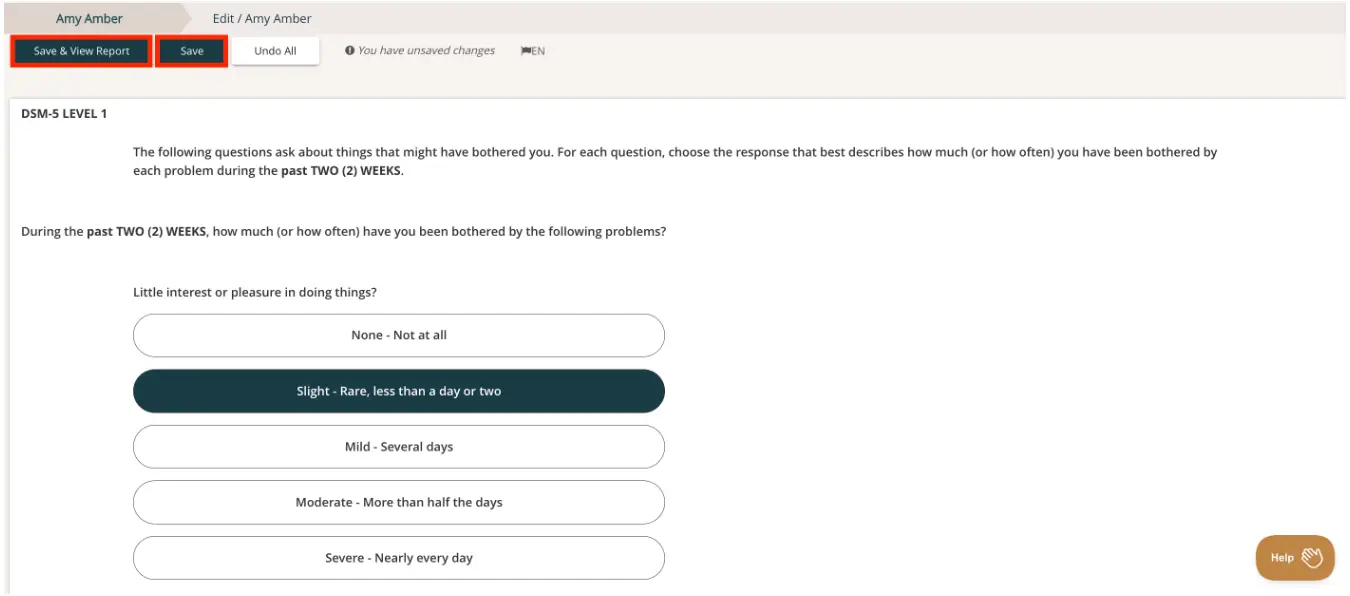
The screenshot displays the interface for editing a patient's or caregiver's measure responses within the Mirah Measurement-Based Care platform. At the top, the breadcrumb navigation shows 'Amy Amber' followed by 'Edit / Amy Amber', indicating the user is editing responses for this individual. Below the navigation, there are buttons for 'Save & View Report' and 'Save' on the left, and 'Undo All' on the right, allowing users to save changes, view reports, or undo edits. A notification states 'You have unsaved changes'. The main section is titled 'DSM-5 LEVEL 1' and contains instructions for answering questions about issues experienced over the past two weeks. The question displayed is 'Little interest or pleasure in doing things?' with response options: 'None - Not at all', 'Slight - Rare, less than a day or two', 'Mild - Several days', 'Moderate - More than half the days', and 'Severe - Nearly every day'. The selected response is 'Slight - Rare, less than a day or two', highlighted in a darker color. A 'Help' button is located at the bottom right corner.