
How to Find the Mirah Privacy Policy

Mirah's privacy policy can be found at the Mirah login page. The following steps will show you how to find access the link to the policy.

1). From the Mirah login page, look towards the bottom of the screen and click on "Privacy Policy".
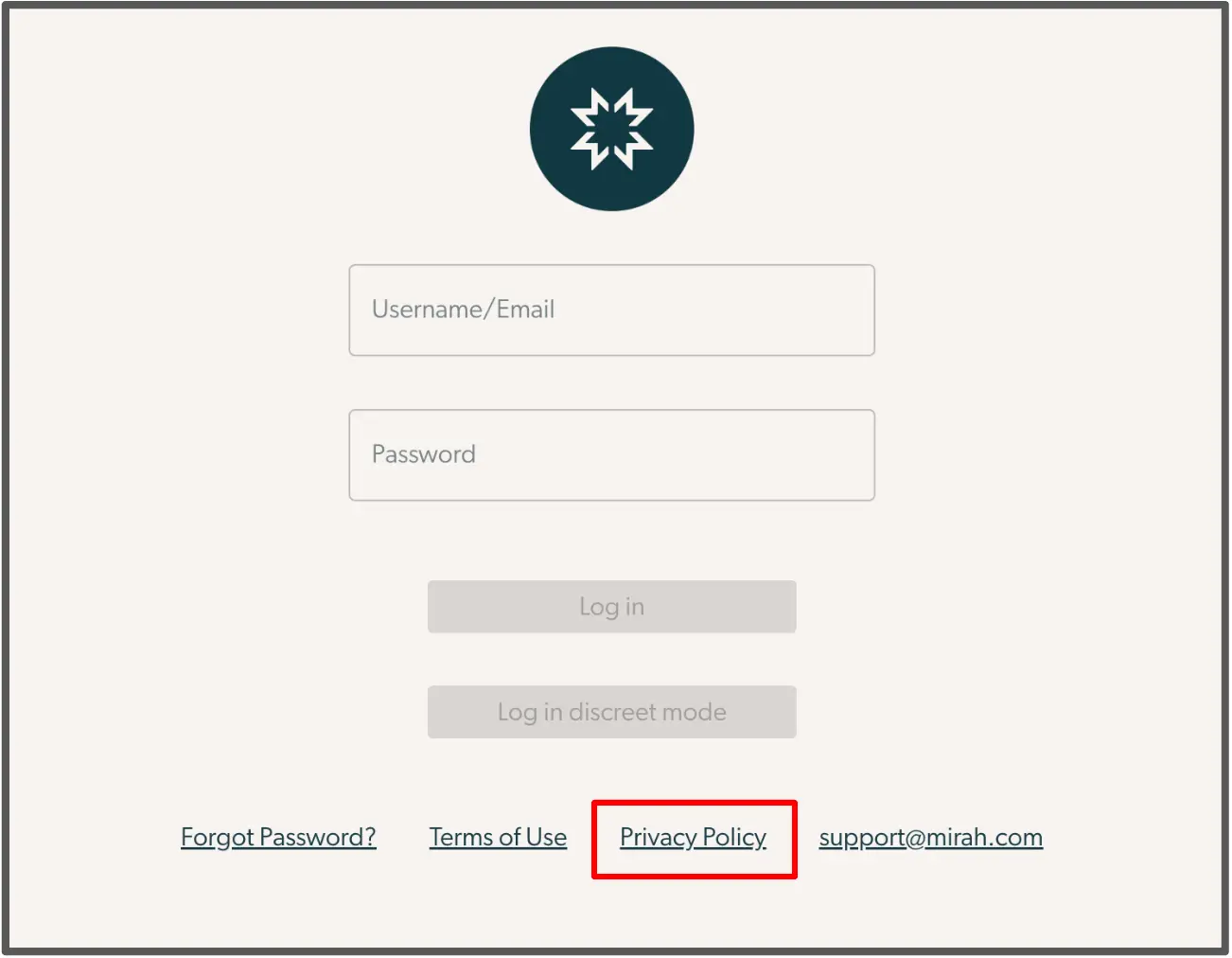
The screenshot displays the login page for Mirah Measurement-Based Care. At the top center, there is a logo representing Mirah. Below the logo, there are two input fields labeled 'Username/Email' and 'Password' for users to enter their credentials. Underneath these fields are two buttons: 'Log in' and 'Log in discreet mode', both are currently disabled. At the bottom of the page, there are four links: 'Forgot Password?', 'Terms of Use', 'Privacy Policy', and 'support@mirah.com'. The 'Privacy Policy' link is highlighted in red, indicating its importance in the context of finding the Mirah Privacy Policy.

2). You will be redirected from the login page to a PDF of the Mirah privacy policy. The front page will look like this:

The screenshot displays the Mirah Privacy Policy page. At the center of the page is a large circular logo featuring a stylized star design in white against a dark teal background. Below the logo, the text 'Mirah Privacy Policy' is prominently displayed in black, centered on the page. This page serves as the entry point for users seeking information about Mirah's privacy practices and policies.

If you are facing any difficulties reaching this document, please reach out to support@mirah.com and we will gladly assist you.