
Feature Guide: How to Use "Show Predictions"

When scheduling sessions in Mirah, there is an option to show how measures will be planned for the session based off of measures previously administered. This guide will show you how to use this.

*Note - this feature is predictive. Session planning may change based on changes to the patient's measurement plan.

Using "Show Predictions"​

1.) When going to a patient page you will be able to view both past and upcoming sessions. Past sessions will show measures that were included. Upcoming sessions will indicate that measures are “Not yet planned.”
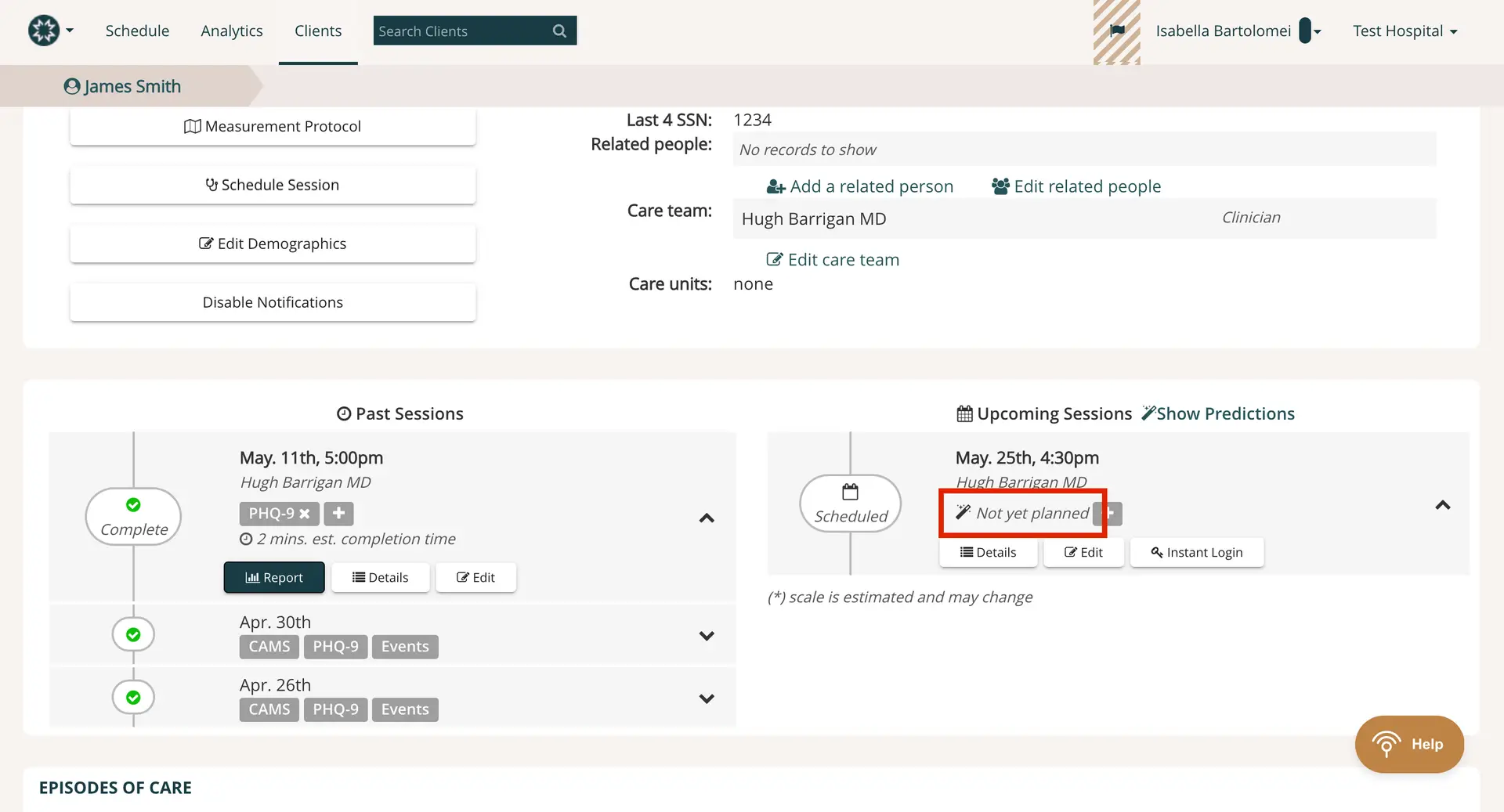
The screenshot displays the client management interface for James Smith within the Mirah Measurement-Based Care platform. At the top, there is a navigation bar with options for Schedule, Analytics, and Clients, along with a search bar to find clients. The client's name, James Smith, is highlighted on the left. Below, there are buttons for Measurement Protocol, Schedule Session, Edit Demographics, and Disable Notifications, each serving specific functions for managing client information. On the right, client details such as the last four digits of the SSN, related people, care team, and care units are shown, with options to add or edit related people and the care team. The main section is divided into Past Sessions and Upcoming Sessions. Past Sessions list completed sessions with details like date, time, clinician name, and session type, along with buttons for Report, Details, and Edit. Upcoming Sessions show scheduled sessions with a date, time, and clinician name, and a 'Not yet planned' status. There are buttons for Details, Edit, and Instant Login. The 'Show Predictions' feature is highlighted at the top of the Upcoming Sessions section, indicating its role in predicting future session outcomes.

2.) Click “Show Predictions” at the top of the upcoming sessions list to see what measures are expected:
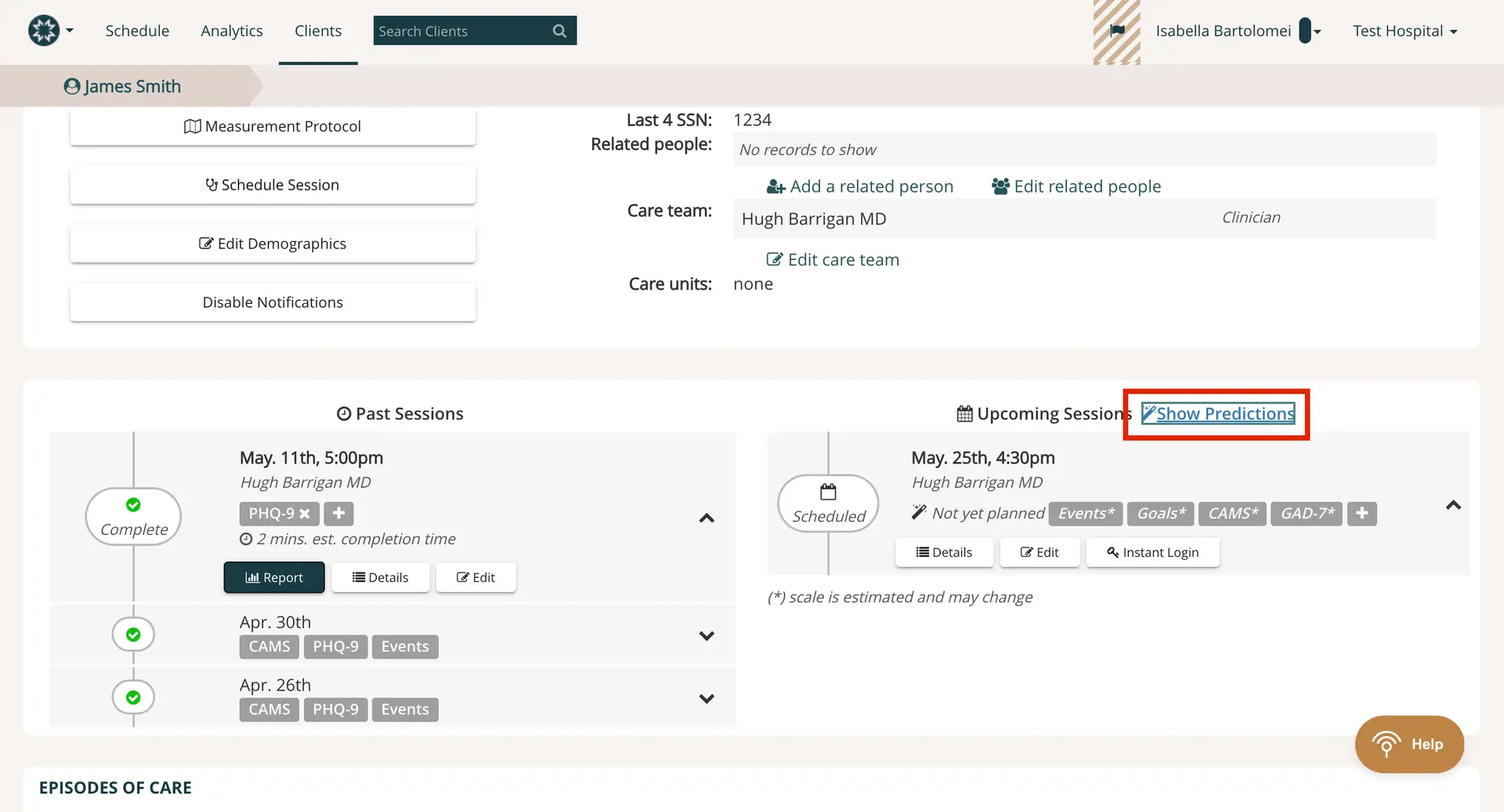
The screenshot displays the 'Clients' section of the Mirah Measurement-Based Care platform, focusing on a specific client, James Smith. The top navigation bar includes options for 'Schedule', 'Analytics', and 'Clients', with a search bar to find clients. The client's profile shows their name, last four digits of their SSN, related people, care team, and care units. There are buttons for 'Measurement Protocol', 'Schedule Session', 'Edit Demographics', and 'Disable Notifications'. The 'Past Sessions' section lists previous sessions with details such as date, time, clinician, and session type, along with options to view reports, details, or edit the session. The 'Upcoming Sessions' section shows a scheduled session with options to view details, edit, or use instant login. The 'Show Predictions' link is prominently highlighted in the upper right corner of the 'Upcoming Sessions' section, allowing users to view predictive analytics for future sessions.

If you are facing difficulties with finding this feature, please reach out to support@mirah.com for further assistance.