Data Exports - Bulk Data Download for Billing
Bulk data download instructions for billing of MBC assessments
Note: In order to access the bulk data support feature on Mirah, the user must have a "superuser" security access level.
These steps are very similar to those used for other bulk data downloads found here.
| Step | Instructions | Screenshot |
|---|---|---|
| 1 | If you are a superuser, on the top right, click on the drop down arrow next to your Institute’s name |

| 2 | Select: “Bulk Data Export” |
|---|
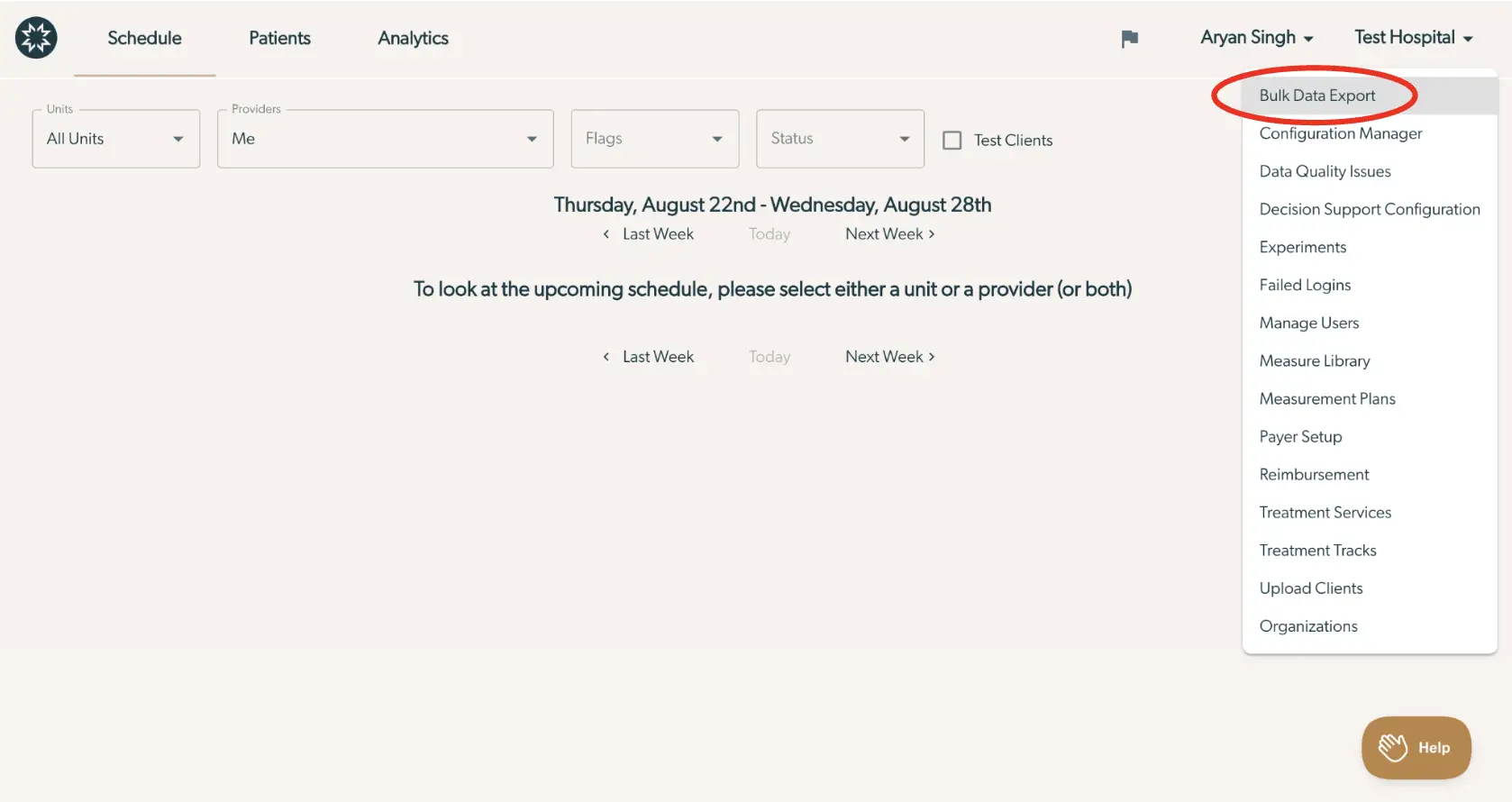
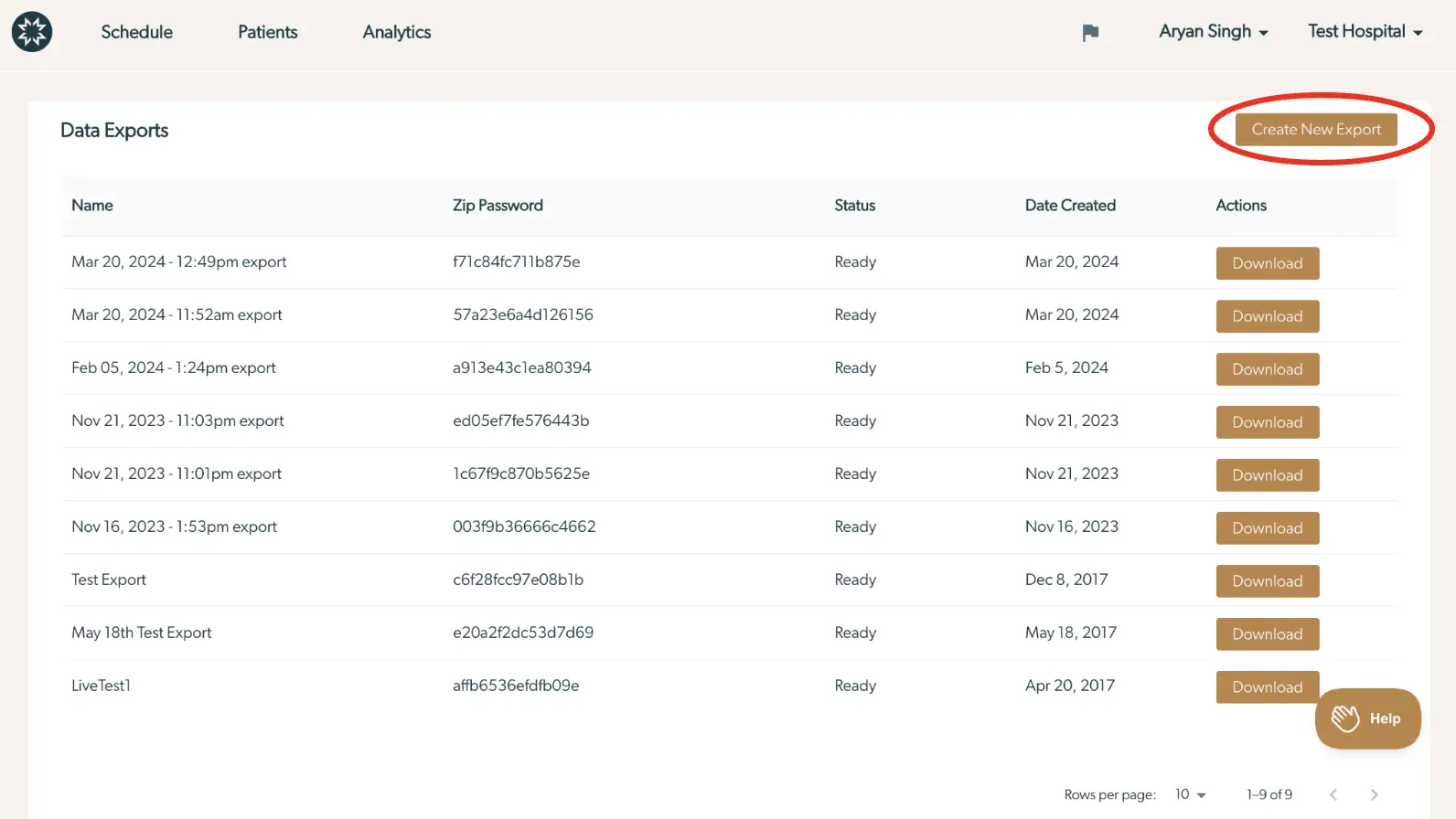
| 3 | Click the "Create New Export" Button |
|---|
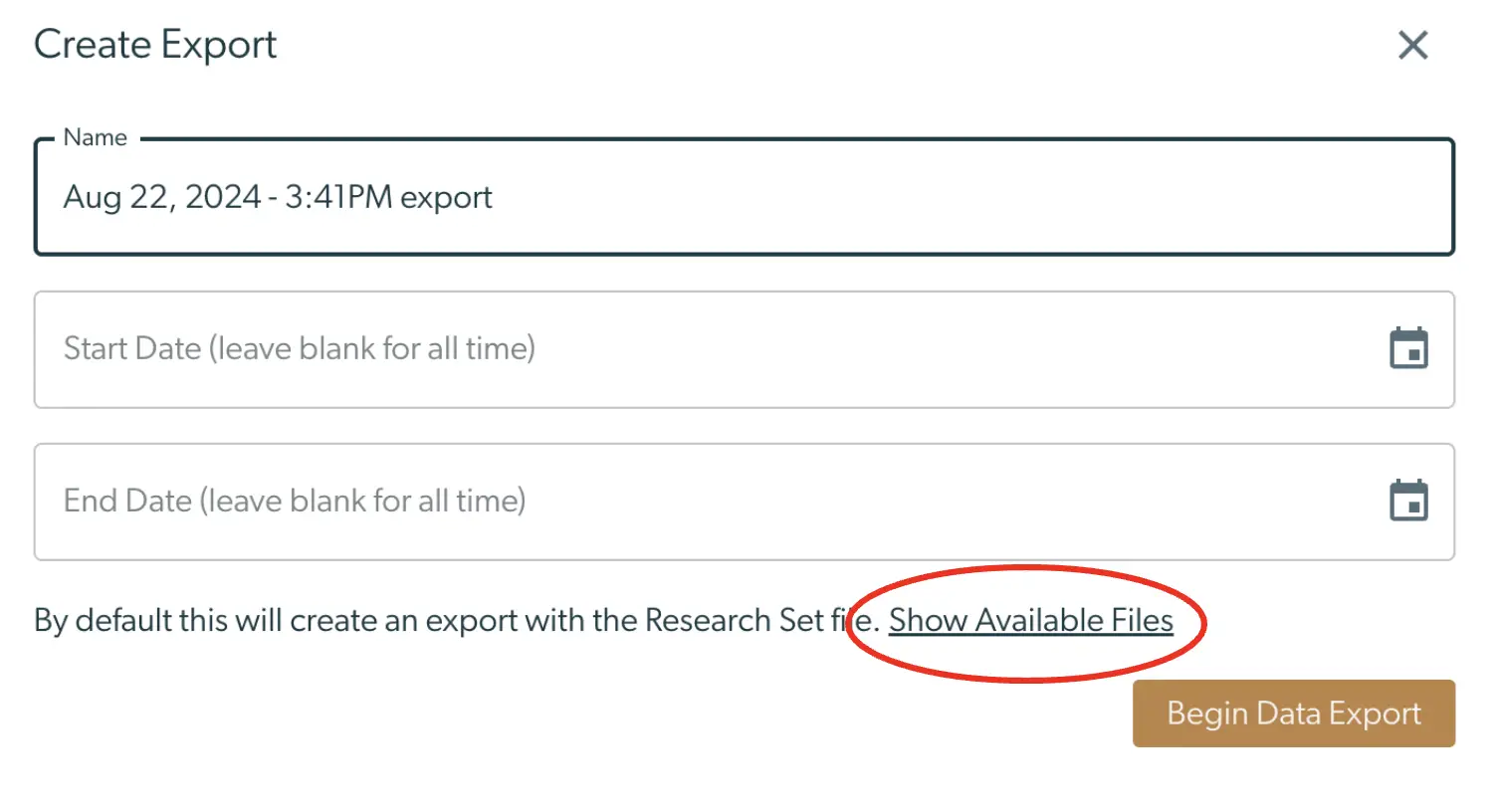
| 4 | Click the link to "Show Available Files" |
|---|
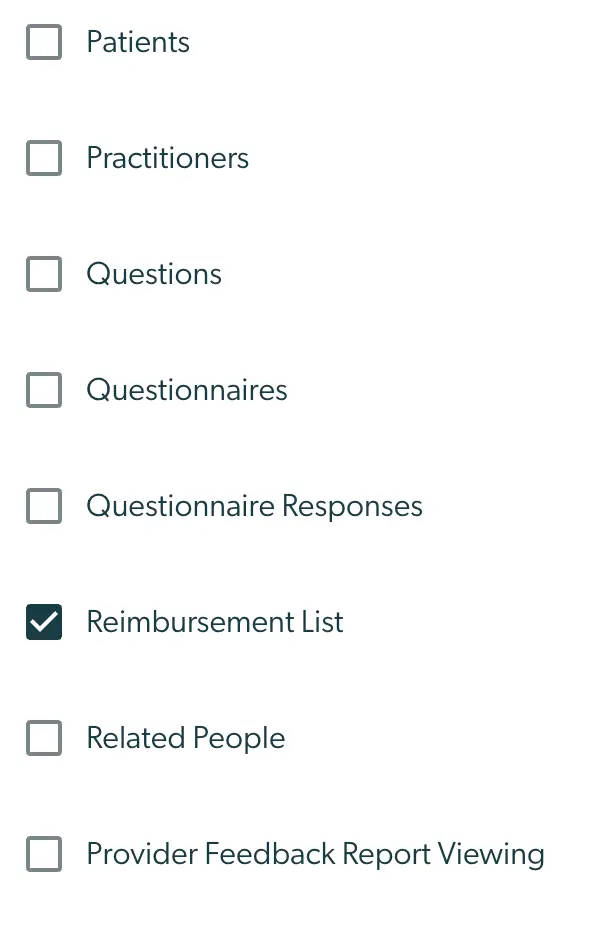
| 5 | Ensure that only the “Reimbursement List” checkbox is selected by pressing "Deselect All" & checking "Reimbursement List" |
|---|
| 6 | Your data export will be the first line item. It make take about 30 seconds for the file to be ready | | | - | ---------------------------------------------------------------------------------------------------- | | | 7 | When your file is ready for download, click on “Download” and copy the "Zip Password" | |
| 8 | Open the zip file and enter the file password you just copiedThe zip file contains a csv file that you can open with Excel or any another spreadsheet application |
|---|

| 9 | This file lists all sessions for which Mirah assessments were completed and reviewed by a provider. Instructions for Microsoft Excel:Select the first lineSelect “Filter”Result: A downward arrow will appear on the right hand side of the cells in the first line, allowing for sorting/filtering of the rest of the rows |
|---|


| 10 | Click on the drop down arrow next to the “appointmentDate” column and select “Descending”Result: The rows are now sorted by appointment date, starting from the most recent appointment |
|---|


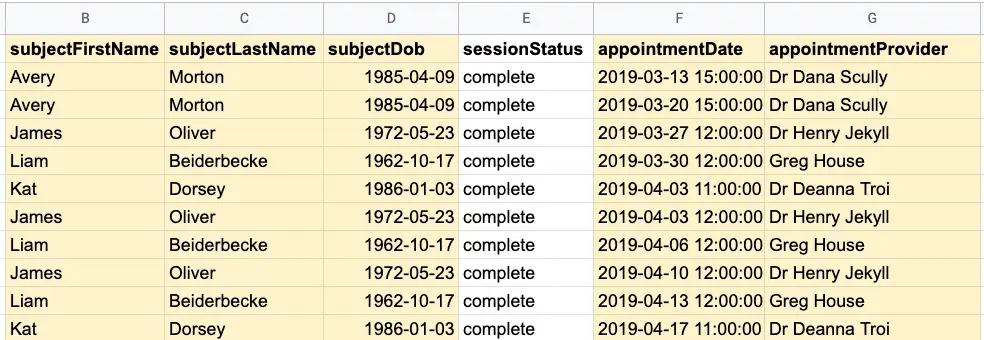
| 11 | The Mirah information needed create the claim for MBC assessments is included (highlighted here in yellow for visibility)subjectFirstName: Patient first name, subjectLastName: Patient last namesubjectDOB: Patient’s date of birthappointmentDate: Date and time of the appointment (UTC timezone)appointmentProvider: Provider who is associated with the appointment |
|---|
| 12 | Information (continued)numMeasures: Total number of measures completed in this measureNames: Names of the specific measures completedNote: Only standardized measures are billable“Goals” and “Events” are not billable since customized for the patient. |
|---|
